How to Track NSFAS Application Status Online (2026 Guide). Students who apply for funding through the National Student Financial Aid Scheme (NSFAS) can easily track the progress of their application online through the myNSFAS portal. Tracking your application status allows you to stay informed about updates, required documents, and funding decisions.
In this guide, you will learn how to check your NSFAS application status step by step, understand the meaning of different application statuses, and know what to do if your application is rejected.
When NSFAS Will Release Application Results

NSFAS will begin communicating application results through the myNSFAS portal .Applicants are encouraged to regularly check their accounts to stay updated on their funding status.
How to Track NSFAS Application Status
Follow the steps below to track your NSFAS application progress online.
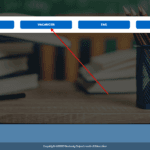
Step 1: Visit the NSFAS Website
Go to the official NSFAS website and access the myNSFAS portal.
Step 2: Log in to Your myNSFAS Account
Enter your registered email address and password to log in to your account.
Step 3: Go to “Track Funding Progress”
After logging in, navigate to the “Track Funding Progress” section on your dashboard.
Step 4: View Your Application Status
Here you will see real-time updates about your application, including whether it is submitted, under review, or approved.
This section also helps applicants:
- Monitor application progress
- Identify missing or outstanding documents
- Receive updates on funding decisions
NSFAS Application Status Meanings
Understanding the meaning of different NSFAS statuses will help you know what stage your application is in.
Application Submitted
This means your application has been successfully received by NSFAS. At this stage, ensure that all your personal information and supporting documents are correct.
Under Review
Your application is currently being assessed by NSFAS to determine whether you meet the funding eligibility requirements.
Application Outcome
This is the final stage of the process. You will be notified if your application is:
- Approved
- Rejected
- Pending additional documents
Applicants should regularly check their myNSFAS portal for updates.
What to Do if Your NSFAS Application Is Rejected
If your application is rejected, you still have the option to submit an appeal.
Step 1: Log in to Your myNSFAS Account
Access your account and review the rejection message.
Step 2: Check the Reason for Rejection
Carefully read the reason provided by NSFAS.
Step 3: Submit an Appeal
Upload supporting documents and provide a clear explanation for your appeal.
Appeals must usually be submitted within 30 days after receiving the rejection notice.
Tips for Checking Your NSFAS Status
- Log in to your myNSFAS portal regularly
- Ensure your contact details are correct
- Upload all required documents on time
- Respond quickly if NSFAS requests additional information
Conclusion
Tracking your NSFAS application status is an important step in ensuring that your funding process goes smoothly. By regularly checking your myNSFAS portal, you can stay informed about updates, submit any missing documents, and quickly respond to NSFAS requests.