Students who applied for funding from the National Student Financial Aid Scheme (NSFAS) may sometimes find their applications rejected. However, a rejected application does not always mean the end of the process. NSFAS allows students to submit an appeal if they believe the decision was incorrect.
This guide explains how to appeal a rejected NSFAS application step-by-step, including the required documents and important deadlines.
What Is the NSFAS Appeal Process?
The NSFAS appeal process allows students whose funding applications were rejected to request a review of the decision. This usually happens when the student has new information or documents that were not considered during the initial application review.
Appeals are submitted online through the myNSFAS portal.
NSFAS Appeals Process – Step by Step
Step 1: Log in to Your myNSFAS Account
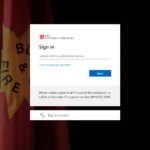
First, visit the official NSFAS website and log in to your myNSFAS account using your registered email address and password.
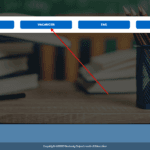
Once logged in, go to your application dashboard where you can track the status of your application.
Step 2: Check the Reason for Rejection
After logging in, check your NSFAS application status to find the exact reason why your application was rejected.
Understanding the reason for rejection is important because your appeal must address that specific issue.
Common reasons for rejection include:
- Household income exceeding the NSFAS threshold
- Missing supporting documents
- Identity verification issues
- Academic eligibility requirements not met
- Incorrect personal information
Step 3: Submit an Appeal with Supporting Documents
If you believe the decision was incorrect, you can submit an appeal directly through the myNSFAS portal.
When submitting your appeal:
- Provide a clear explanation of your situation
- Upload all required supporting documents
- Ensure that the documents are valid and clearly visible
Possible supporting documents include:
- Proof of household income
- Affidavits explaining financial circumstances
- Death certificate of parent or guardian (if applicable)
- Medical records (if relevant)
- Updated academic documents
After submitting your appeal, NSFAS will review your request and update your status on the portal.
NSFAS Appeal Deadline
Students must submit their appeals within 30 days after receiving the rejection decision. Late appeals are usually not accepted, so it is important to act quickly once your application status changes.
How to Track Your NSFAS Appeal Status
Once your appeal has been submitted, you can track the progress by following these steps:
- Log in to your myNSFAS account
- Go to Application Status
- Check the latest updates regarding your appeal
NSFAS will update the portal once the appeal has been reviewed.
Tips for a Successful NSFAS Appeal
To increase your chances of approval:
- Submit your appeal as soon as possible
- Ensure all documents are clear and certified
- Provide accurate information
- Address the exact reason for rejection
Incomplete appeals may be rejected again.
Final Thoughts
The NSFAS appeal process provides students with another opportunity to receive financial support for their studies. If your application was rejected, carefully review the reason and submit a well-prepared appeal with all required documents. Always monitor your myNSFAS account for updates and make sure your appeal is submitted within the required timeframe