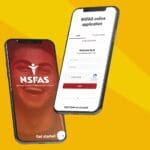
How Do I Check NSFAS Application Status. If you’ve applied for a National Student Financial Aid Scheme (NSFAS) bursary, one of the first things you’ll want to know is: “How do I check my NSFAS status?” The good news is that NSFAS makes it simple to track your application online through the myNSFAS portal.
In this post, we’ll walk you through the process step by step, explain what the different NSFAS statuses mean, and answer common questions students ask.
Why Check Your NSFAS Status?
Checking your NSFAS status is important because it tells you exactly where your application stands. Instead of waiting anxiously for emails or SMS updates, you can log in at any time and see whether your application is still being processed, approved, or requires additional information.
Step-by-Step: NSFAS Application Status Check
Here’s how to check your NSFAS status in just a few minutes:
- Go to the official NSFAS website: www.nsfas.org.za
- Click on “myNSFAS” in the menu bar
- Log in using your username and password
- Once inside your dashboard, select “Track Application Status”
- Your current NSFAS status will appear on the screen
Tip: Make sure you use the same email and cellphone number you used when registering your account.

What Do the Different NSFAS Statuses Mean?
When you log in, you might see one of several statuses. Here’s what they mean:
- Application Submitted – NSFAS has received your application.
- Awaiting Documents – You need to upload or resubmit missing documents.
- Verification in Progress – NSFAS is checking your details with government databases (e.g., SASSA, Home Affairs).
- Funding Eligibility Check – Your household income and qualifications are being reviewed.
- Provisionally Funded – You meet the requirements, and funding is awaiting confirmation from your institution.
- Application Approved – Congratulations! Your NSFAS funding is confirmed.
- Application Unsuccessful – Unfortunately, you did not qualify. You can appeal if you believe this was an error.
Common Issues When Checking NSFAS Status
Sometimes students run into problems when trying to track their application. Here are a few quick fixes:
- Forgot password? Use the “Forgot Password” option on the portal to reset it.
- Portal not loading? Try using Google Chrome and clearing your cache.
- No update showing? Be patient — NSFAS processes thousands of applications, and updates may take time.
Frequently Asked Questions (FAQ)
How long does NSFAS take to respond?
- It can take several weeks to months, depending on the volume of applications. Always check your portal for the latest updates.
Can I check my NSFAS status without logging in?
- No. You need to log in to the myNSFAS portal to see your official application status.
What if my application is unsuccessful?
- You can submit an appeal on the myNSFAS portal, usually within 30 days of the decision.
Final Thoughts
If you’ve been wondering “How do I check my status at NSFAS?” the answer is simple: log into the myNSFAS portal and track it online. The portal gives you real-time updates so you know exactly where you stand in the application process. Check your NSFAS status now at www.nsfas.org.za