The IDRAS TRA Portal is the online gateway for taxpayers in Tanzania to register, file tax returns, make payments, and manage all domestic tax obligations through the Integrated Domestic Revenue Administration System (IDRAS) by the Tanzania Revenue Authority (TRA).
Whether you are an individual taxpayer, business owner, or tax consultant, this guide will show you exactly how to register and login to the IDRAS system.
What Is the IDRAS TRA Portal?
The IDRAS portal is a one-stop e-tax platform where all domestic tax services are hosted. You can:
- Register for a Taxpayer Identification Number (TIN)
- Submit and file tax returns (Income Tax, VAT, PAYE, SDL etc.)
- Make tax payments online
- View tax notices and compliance alerts
- Update your taxpayer profile
How to Register on the IDRAS TRA Portal
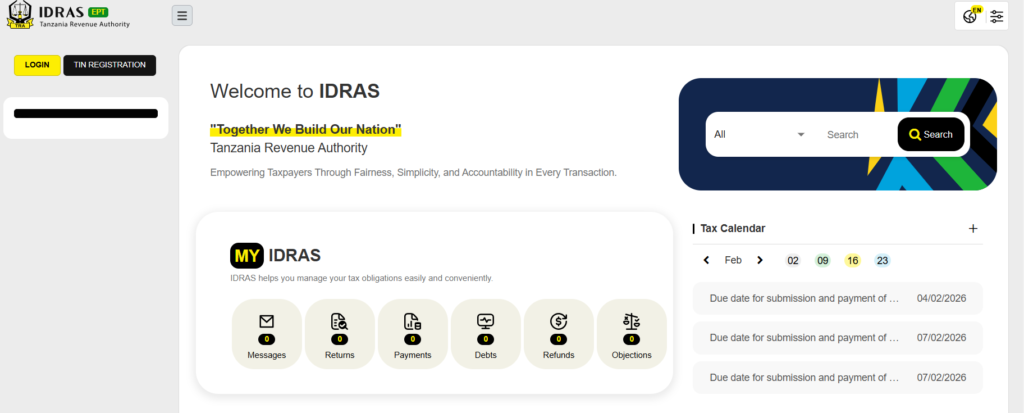
To start using the IDRAS system, you must first create an account. Follow these steps:

Step 1: Visit the IDRAS Portal
Open your web browser and go to the official IDRAS portal: https://taxpayersportal.tra.go.tz/ept/react/index.html
Step 2: Click “Register”
On the homepage, locate and click the “Register” button.
Step 3: Choose Your Registration Type
You will be prompted to choose between:
🔹 Individual – for personal taxpayers
🔹 Business – for companies, SMEs, NGOs
🔹 Tax Agent/Consultant – for accountants acting on behalf of clients
Step 4: Fill in Your Details
Enter the requested information:
- Full Name
- Email Address
- TIN (if already issued)
- Phone Number
- Password
Ensure all data matches the TRA records to avoid registration errors.
Step 5: Confirm Email
After submitting the form, check your email for a verification link.
Click the link to activate your IDRAS account.
Step 6: Complete Your Profile
Once your email is verified, log in and complete your taxpayer profile inside the portal. This includes adding:
- Business details (for companies)
- Contact information
- Bank or mobile money payment options
How to Login to the IDRAS TRA Portal
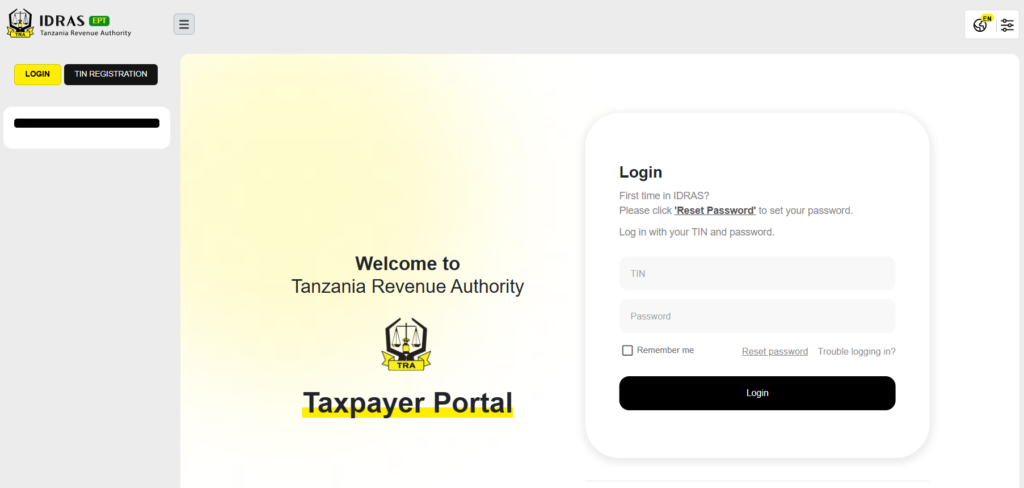
After successful registration, logging in is simple:
Step 1: Go to the Portal Visit: https://taxpayersportal.tra.go.tz/ept/react/index.html
Step 2: Click “Login”
Find the Login button on the homepage.
Step 3: Enter Credentials
Type in:
- TIN Number
- Your Password
Step 4: Access Your Dashboard
Once logged in, you’ll see your taxpayer dashboard where you can:
- File tax returns
- Check tax liabilities
- Upload supporting documents
- View payment history
Troubleshooting Login & Registration Issues
Here are common problems and how to fix them:
Forgot Password?
Click “Forgot Password” on the login page and follow the email reset steps.
Email Not Received
Check your spam or junk folder. If you still don’t receive the verification email, try resending from the portal.
Invalid TIN or Details
Ensure your submitted details match exactly what TRA has on record. If necessary, visit a TRA office for profile validation.
Account Locked
Too many failed login attempts can lock your account temporarily. Wait 15 minutes before trying again.
Important Tips for IDRAS Users
- Always use a valid email address and receive alerts from TRA
- Keep your login details secure
- Update your profile if your contact information changes
- Use official links do not login through suspicious third-party sites
Conclusion
Registering and logging into the IDRAS TRA Portal is the first step toward efficient tax compliance in Tanzania. With the IDRAS system, taxpayers benefit from:
- A unified tax platform
- Faster processing of tax returns
- Better transparency and record-keeping
- Easy tracking of tax liabilities and payments
Start your journey today by visiting the official portal and completing your IDRAS registration. It’s fast, secure, and essential for every taxpayer in Tanzania.